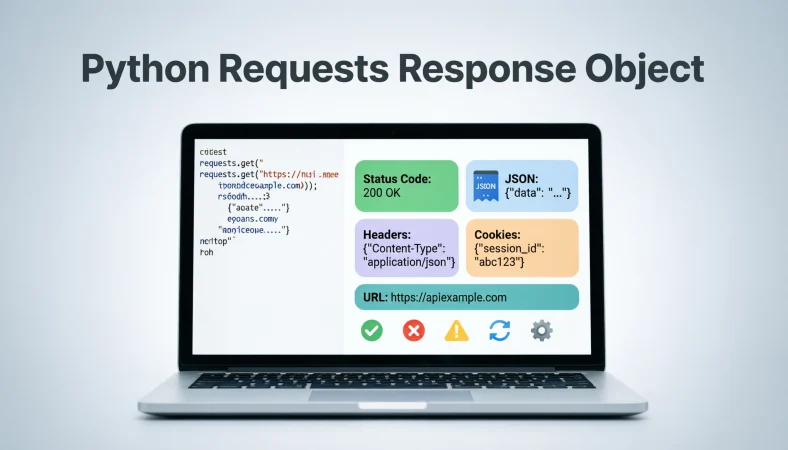
The python requests response object is the object returned by the requests library after an HTTP request. It lets you inspect status codes, headers, cookies, URLs, response text, JSON data, and other details from the server.
Top alternatives: response.status_code, response.text, response.json(), response.headers, response.content
Ever sent a Python request, got something back, and thought, “Okay… but what exactly am I supposed to do with this?” That returned value is where the python requests response object becomes useful. When you call methods such as requests.get() or requests.post(), the Requests library gives you a Response object containing information about what the server sent back.
You can use it to check whether a request worked, read JSON data, inspect headers, access cookies, examine the final URL, or troubleshoot an unexpected response. Whether you are building an API integration, testing a website, working on a script, or debugging a request that decided to behave badly at 2 a.m., understanding this object makes HTTP work much easier. The right response attribute can turn confusing output into a clear answer about what happened.
Understanding The Python Requests Response Object
response = requests.get(url)
Use this when you need to store the result of an HTTP GET request.
Meaning: The returned Response object contains the server’s response details.
response.status_code
Use this when you need to know whether the request succeeded.
Meaning: It returns the HTTP status code sent by the server.
response.text
Use this when you need the response body as decoded text.
Meaning: It gives you the server response in string form.
response.content
Use this when working with binary response data.
Meaning: It provides the raw response body as bytes.
response.json()
Use this when the server returns JSON data.
Meaning: It parses the response body into Python data structures.
response.headers
Use this when you need HTTP response metadata.
Meaning: It exposes the response headers as a case-insensitive dictionary-like object.
response.url
Use this when you want to know the URL associated with the response.
Meaning: It shows the final URL represented by the response.
response.cookies
Use this when a server sends cookies with the response.
Meaning: It provides access to cookies received from the server.
response.ok
Use this for a quick check of whether the response is considered successful.
Meaning: It returns a Boolean indicating whether the status is below 400.
response.reason
Use this when you want the standard text associated with the status code.
Meaning: It provides the HTTP reason phrase when available.
response.request
Use this when inspecting the PreparedRequest that produced the response.
Meaning: It lets you examine details of the outgoing request.
response.history
Use this when a request involved redirects and you want to inspect them.
Meaning: It contains earlier responses created during redirects.
Python Requests Response Status Codes
response.status_code == 200
Use this when checking for a typical successful HTTP response.
Meaning: The server successfully handled the request.
response.status_code == 201
Use this after creating a resource through an API.
Meaning: The server indicates that a resource was created.
response.status_code == 204
Use this when a successful response contains no response body.
Meaning: The request succeeded without returning content.
response.status_code == 400
Use this when diagnosing an invalid client request.
Meaning: The server indicates that the request was malformed or invalid.
response.status_code == 401
Use this when checking authentication failures.
Meaning: The request lacks valid authentication credentials.
response.status_code == 403
Use this when access is denied despite the request reaching the server.
Meaning: The server refuses to authorize the requested action.
response.status_code == 404
Use this when checking whether a requested resource exists.
Meaning: The server could not find the requested resource.
response.status_code == 405
Use this when an HTTP method is not allowed for a resource.
Meaning: The endpoint does not support the method used.
response.status_code == 429
Use this when an API reports too many requests.
Meaning: The server is asking the client to slow down or retry later.
response.status_code == 500
Use this when diagnosing a server-side failure.
Meaning: The server encountered an unexpected internal problem.
response.status_code == 502
Use this when a gateway receives an invalid upstream response.
Meaning: A server acting as a gateway or proxy encountered an upstream issue.
response.status_code == 503
Use this when a service is temporarily unavailable.
Meaning: The server is currently unable to handle the request.
Python Requests Response Text And Content
print(response.text)
Use this when debugging an HTML, plain-text, or other text response.
Meaning: It displays the decoded response body.
data = response.text
Use this when you need to store decoded response text.
Meaning: The response body becomes available as a Python string.
print(response.content)
Use this when inspecting raw bytes.
Meaning: It displays the response body without converting it to text first.
image_data = response.content
Use this when downloading an image or other binary file.
Meaning: The response bytes can be processed or saved as binary data.
response.encoding
Use this when checking how Requests decodes response text.
Meaning: It shows the character encoding used for text decoding.
response.apparent_encoding
Use this when investigating the likely encoding of response content.
Meaning: It provides an apparent encoding detected from the content.
response.text[:100]
Use this when you only need a quick preview of a long response.
Meaning: It returns the first 100 decoded characters.
len(response.content)
Use this when checking the size of the response body.
Meaning: It gives the number of response bytes.
response.text.lower()
Use this when performing simple case-insensitive text checks.
Meaning: It converts the decoded response text to lowercase.
“error” in response.text.lower()
Use this for a basic search for an error word in text responses.
Meaning: It checks whether the response contains that term.
response.content.startswith(b”<“)
Use this when making a simple bytes-level inspection.
Meaning: It checks whether the content begins with a particular byte sequence.
response.encoding = “utf-8”
Use this when you have a valid reason to override the detected text encoding.
Meaning: It changes the encoding Requests uses when decoding response.text.
Python Requests Response JSON Examples
data = response.json()
Use this when an API returns JSON and you need Python objects.
Meaning: It decodes JSON from the response body.
print(response.json())
Use this when quickly inspecting an API’s JSON response.
Meaning: It displays the parsed JSON structure.
data[“name”]
Use this after parsing JSON that contains a name key.
Meaning: It retrieves the value associated with that key.
data.get(“name”)
Use this when a JSON key may not always exist.
Meaning: It safely retrieves a value without requiring the key to exist.
items = response.json().get(“items”, [])
Use this when an API may omit its items field.
Meaning: It provides an empty list as a fallback.
response.json()[“results”]
Use this when the API consistently returns a results field.
Meaning: It extracts the results value from parsed JSON.
isinstance(response.json(), dict)
Use this when checking the parsed JSON’s Python type.
Meaning: It tests whether the JSON represents a Python dictionary.
payload = response.json()
Use this when giving parsed response data a meaningful variable name.
Meaning: It stores the decoded JSON for later processing.
response.headers.get(“Content-Type”)
Use this before parsing when you want to inspect the declared media type.
Meaning: It retrieves the server’s Content-Type header.
response.json().get(“message”)
Use this when APIs return a message field in their response.
Meaning: It retrieves that message if present.
try: data = response.json()
Use this when the body may not contain valid JSON.
Meaning: It lets you handle JSON parsing failures explicitly.
response.json() on HTML
Use this only when you know the response contains JSON.
Meaning: Calling it on non-JSON content can raise a decoding-related exception.
Python Requests Response Headers
response.headers
Use this when you need to inspect all returned HTTP headers.
Meaning: It exposes response header information.
response.headers.get(“Content-Type”)
Use this when checking the response media type.
Meaning: It retrieves the Content-Type value when available.
response.headers.get(“Content-Length”)
Use this when checking whether the server supplied a content length.
Meaning: It retrieves the Content-Length header if present.
response.headers.get(“Location”)
Use this when investigating redirects or location information.
Meaning: It retrieves the Location header when supplied.
response.headers.get(“Server”)
Use this when inspecting a server-provided identification header.
Meaning: It retrieves the Server header if the server sends one.
for key, value in response.headers.items()
Use this when you need to inspect headers individually.
Meaning: It iterates through header names and values.
“content-type” in response.headers
Use this when checking whether a Content-Type header exists.
Meaning: Header lookup is case-insensitive.
response.headers[“Content-Type”]
Use this when you expect the header to exist.
Meaning: It retrieves the Content-Type value directly.
response.headers.get(“Set-Cookie”)
Use this when examining a cookie-related response header.
Meaning: It retrieves the header value when exposed there.
dict(response.headers)
Use this when you want a regular dictionary representation.
Meaning: It converts the header collection into a standard dictionary.
response.headers.get(“Retry-After”)
Use this when handling a server response that asks you to retry later.
Meaning: It retrieves the Retry-After value when supplied.
response.headers.get(“Cache-Control”)
Use this when investigating caching instructions.
Meaning: It retrieves the Cache-Control header when present.
Python Requests Response Cookies
response.cookies
Use this when a server sets cookies during the request.
Meaning: It provides access to cookies received with the response.
response.cookies.get(“session”)
Use this when you need a particular cookie value.
Meaning: It retrieves the named cookie when available.
for cookie in response.cookies
Use this when inspecting multiple cookies.
Meaning: It lets you iterate through cookies stored in the response.
cookie.name
Use this while inspecting an individual cookie.
Meaning: It gives the cookie’s name.
cookie.value
Use this while inspecting an individual cookie.
Meaning: It gives the cookie’s value.
response.cookies.get_dict()
Use this when you want cookie names and values in dictionary form.
Meaning: It converts available cookies into a regular dictionary.
response.cookies.items()
Use this when iterating through cookie name-value pairs.
Meaning: It provides the stored cookie pairs.
len(response.cookies)
Use this when checking how many cookies were received.
Meaning: It returns the number of cookies in the response cookie jar.
response.cookies.clear()
Use this when you need to clear cookies from the response cookie jar.
Meaning: It removes cookies stored in that cookie jar.
session.cookies.update(response.cookies)
Use this when transferring response cookies into a Session.
Meaning: It updates the session cookie jar with the response cookies.
response.cookies.get(“token”)
Use this when an application sets a named token cookie.
Meaning: It retrieves that cookie when available.
response.cookies.get(“missing”, “default”)
Use this when a cookie may not exist.
Meaning: It returns a fallback value when the cookie is unavailable.
Python Requests Response URL And Redirects
response.url
Use this when you need the URL associated with the final response.
Meaning: It shows the URL represented by the Response object.
response.history
Use this when you want to inspect earlier redirect responses.
Meaning: It stores the redirect history leading to the final response.
len(response.history)
Use this when counting redirects.
Meaning: It tells you how many prior redirect responses are recorded.
response.history[0].status_code
Use this when inspecting the first recorded redirect response.
Meaning: It gives that earlier response’s HTTP status code.
response.history[-1].url
Use this when inspecting the URL from the last recorded redirect response.
Meaning: It identifies the URL associated with that historical response.
response.is_redirect
Use this when checking whether a response is a redirect.
Meaning: It indicates whether the response meets Requests’ redirect criteria.
response.is_permanent_redirect
Use this when checking for a permanent redirect response.
Meaning: It indicates whether the response represents a permanent redirect.
requests.get(url, allow_redirects=False)
Use this when you want to prevent automatic redirect following.
Meaning: Requests returns the redirect response instead of following it automatically.
response.headers.get(“Location”)
Use this when inspecting where a redirect points.
Meaning: It retrieves the redirect destination when provided.
response.request.url
Use this when inspecting the URL on the outgoing request.
Meaning: It shows the request URL associated with the response.
response.request.method
Use this when checking which HTTP method produced the response.
Meaning: It identifies the outgoing request method.
response.request.headers
Use this when examining headers sent with the request.
Meaning: It exposes headers on the PreparedRequest.
Python Requests Response Error Handling
response.raise_for_status()
Use this when you want HTTP errors to raise exceptions.
Meaning: It raises an HTTPError for unsuccessful status codes.
if response.ok:
Use this for a simple success check.
Meaning: It evaluates whether the status code is below 400.
if response.status_code >= 400:
Use this when explicitly handling HTTP error responses.
Meaning: It identifies client and server error status codes.
try: response.raise_for_status()
Use this when you want to catch HTTP errors cleanly.
Meaning: It provides a structure for handling unsuccessful HTTP responses.
except requests.HTTPError:
Use this when handling errors raised by raise_for_status().
Meaning: It catches the library’s HTTPError exception.
if response.status_code == 404:
Use this when a missing resource needs special handling.
Meaning: It lets your code respond specifically to a 404 status.
if response.status_code == 429:
Use this when an API rate limit requires special treatment.
Meaning: It identifies a Too Many Requests response.
if response.status_code >= 500:
Use this when identifying server-side error responses.
Meaning: It catches HTTP 5xx status codes.
if not response.ok:
Use this when you need to branch on unsuccessful responses.
Meaning: It identifies responses whose status is 400 or higher.
response.raise_for_status() after parsing
Use this when you want to avoid treating an error page as valid data.
Meaning: It makes HTTP failure handling explicit before further processing.
response.status_code in {200, 201}
Use this when an operation should succeed with specific codes.
Meaning: It checks for selected successful outcomes.
response.status_code not in range(200, 300)
Use this when you need a broad non-2xx check.
Meaning: It identifies responses outside the typical success range.
Python Requests Response Object For APIs
response = requests.get(api_url)
Use this when retrieving data from an HTTP API.
Meaning: The Response object contains the API server’s result.
data = response.json()
Use this when the API returns JSON.
Meaning: It converts the JSON response into Python data.
status = response.status_code
Use this when recording the API outcome.
Meaning: It stores the HTTP status for later logic or logging.
message = response.json().get(“message”)
Use this when an API includes a human-readable message.
Meaning: It retrieves the message when available.
results = response.json().get(“results”, [])
Use this when processing APIs with optional result lists.
Meaning: It safely provides a default empty list.
response.headers.get(“Content-Type”)
Use this when verifying the returned media type.
Meaning: It helps confirm what type of data the server claims to return.
response.url
Use this when logging which URL produced the result.
Meaning: It identifies the response URL.
response.elapsed
Use this when inspecting how long the request took.
Meaning: It provides the elapsed time associated with the request.
response.request.method
Use this when logging the HTTP method used.
Meaning: It identifies the method on the associated request.
response.request.headers
Use this when debugging headers sent to the API.
Meaning: It exposes request headers from the PreparedRequest.
response.history
Use this when checking whether the API request redirected.
Meaning: It provides previous redirect responses.
response.reason
Use this when logging the HTTP reason phrase.
Meaning: It provides a short textual description associated with the status.
Funny Python Requests Response Object Examples
“The server replied, so naturally Python brought receipts.”
Use this as a light explanation of the Response object.
Meaning: The object gives you evidence about what the server returned.
“Status code first, panic later.”
Use this when teaching basic response checking.
Meaning: Check the HTTP status before assuming something went wrong.
“response.json() is basically asking, ‘Okay, spill the data.’”
Use this when explaining JSON parsing casually.
Meaning: It extracts structured JSON data from the response.
“response.text reads the room, literally.”
Use this when explaining text responses.
Meaning: It gives you the response body as decoded text.
“404 walked into the chat and refused to leave.”
Use this when explaining missing resources.
Meaning: A 404 indicates that the requested resource was not found.
“500 means the server is having its main-character moment.”
Use this in a casual debugging explanation.
Meaning: A 500 status represents an internal server error.
“Headers are the response’s little information cards.”
Use this when introducing response headers.
Meaning: Headers carry metadata about the HTTP response.
“Cookies just showed up with the package.”
Use this when explaining response cookies.
Meaning: Servers can send cookies along with responses.
“raise_for_status() politely says, ‘We need to talk.’”
Use this when explaining HTTP error handling.
Meaning: It raises an exception when the response indicates an HTTP error.
“Redirects are the internet saying, ‘Not here, try this door.’”
Use this when explaining redirect history.
Meaning: Redirect responses point clients toward another location.
“The Response object is your server receipt.”
Use this when introducing the overall concept.
Meaning: It contains useful details about the server’s response.
“HTTP happened. The Response object kept the screenshots.”
Use this as a memorable beginner-friendly explanation.
Meaning: The object preserves important response information for your code.
Clever Python Requests Response Object Techniques
“Check the status before touching the payload.”
Use this when designing reliable API-handling code.
Meaning: Confirm the HTTP outcome before processing returned data.
“Treat JSON as data, not decoration.”
Use this when explaining API response processing.
Meaning: Parsed JSON should be handled as structured information.
“Log the status, URL, and useful error details.”
Use this when building debugging or monitoring code.
Meaning: Key response details can make troubleshooting much easier.
“Use .get() when a response field is optional.”
Use this when working with variable API responses.
Meaning: Dictionary .get() can provide a safer fallback.
“Use raise_for_status() when failure should be explicit.”
Use this when you want exceptions for HTTP errors.
Meaning: It makes unsuccessful HTTP responses harder to ignore.
“Keep binary data as bytes.”
Use this when downloading files or images.
Meaning: response.content preserves the raw byte data.
“Inspect headers before guessing what arrived.”
Use this when the response format is uncertain.
Meaning: Headers can provide useful information about the response type.
“Use redirect history when the URL looks unexpected.”
Use this when troubleshooting unexpected destinations.
Meaning: Previous responses can reveal the redirect path.
“Separate transport success from application success.”
Use this when working with APIs.
Meaning: A successful HTTP status does not always mean the business operation succeeded.
“Read the response like a structured report.”
Use this when teaching beginners.
Meaning: Status, headers, body, URL, and related attributes each tell part of the story.
“Do not assume every successful status has JSON.”
Use this when processing mixed API or web responses.
Meaning: Response formats vary, even when HTTP requests succeed.
“Let the response tell you what happened.”
Use this as a general debugging principle.
Meaning: Inspect actual response details instead of relying on assumptions.
Professional Python Requests Response Object Practices
“Validate the HTTP status before processing application data.”
Use this in production-oriented API code.
Meaning: Status validation prevents many error responses from being treated as valid data.
“Handle JSON parsing failures explicitly.”
Use this when an endpoint may return multiple content types.
Meaning: Your code should not assume every response body is valid JSON.
“Record relevant request and response metadata.”
Use this when creating application logs.
Meaning: Useful metadata can make production troubleshooting easier.
“Avoid logging sensitive response content.”
Use this when implementing production logging.
Meaning: Logs should not unnecessarily expose confidential information.
“Use timeouts for network requests.”
Use this when writing dependable network code.
Meaning: A timeout prevents a request from waiting indefinitely.
“Handle expected HTTP errors separately.”
Use this when an application needs different responses for different failures.
Meaning: Specific handling can produce clearer recovery behavior.
“Use sessions when repeated requests share configuration.”
Use this when communicating repeatedly with the same service.
Meaning: A Session can persist settings and certain state between requests.
“Respect rate limits when consuming APIs.”
Use this when working with services that limit request frequency.
Meaning: Responsible request pacing reduces avoidable 429 responses.
“Inspect Retry-After when a service provides it.”
Use this when handling rate-limit or temporary availability responses.
Meaning: The header can provide retry guidance when supplied.
“Keep response parsing separate from business logic.”
Use this when designing maintainable applications.
Meaning: Separation makes code easier to test and update.
“Use meaningful variable names for response data.”
Use this when writing readable Python code.
Meaning: Clear names make response-processing logic easier to understand.
“Test success, client-error, and server-error paths.”
Use this when building automated tests.
Meaning: Testing multiple outcomes helps expose weak error handling.
FAQs
What Is The Python Requests Response Object?
It is the object returned by Requests that contains details about an HTTP response.
How Do I Get A Response Object In Python?
Call a Requests method such as requests.get() or requests.post() and store its return value.
What Is response.status_code?
It contains the HTTP status code returned by the server, such as 200, 404, or 500.
What Is response.text?
It returns the response body as decoded text.
What Is response.content?
It returns the raw response body as bytes, which is useful for binary data.
What Does response.json() Do?
It parses a JSON response body and returns the corresponding Python data structure.
What Is response.headers?
It provides access to HTTP headers returned by the server.
What Does response.ok Mean?
It returns True when the response status code is below 400.
What Does response.raise_for_status() Do?
It raises an HTTPError when the response contains an unsuccessful HTTP status.
How Do I Check If A Request Was Successful?
You can use response.ok or check the specific status code you expect.
Can The Response Object Contain Cookies?
Yes. Cookies received from the server are available through response.cookies.
What Is response.history Used For?
It lets you inspect earlier responses created while following redirects.
What Is response.url?
It provides the URL associated with the Response object.
What Is response.elapsed?
It provides the elapsed time associated with the request and response.
Can response.json() Fail?
Yes. It can fail when the response body does not contain valid JSON.
Conclusion
Once you understand the python requests response object, HTTP requests become much less mysterious. Instead of staring at a wall of output and hoping for enlightenment, you can check the status code, inspect headers, read text, parse JSON, examine cookies, follow redirect history, and handle errors with confidence.
The key is knowing which part of the Response object answers the question you actually have. Start with status_code, text, content, and json(), then explore headers, cookies, URLs, timing, and request details as your projects become more advanced. Save this guide for your next API debugging session, share it with a fellow Python developer, and keep these handy response attributes close whenever HTTP decides to get interesting.